Feature

Bin tracking that answers the expensive question

Every bin you have dropped, on one map. How long it has been there, what is overdue for collection, and what is sitting in the yard doing nothing.

Truck GPS too. We run on whatsGPS and IOP GPS, and if you are on a different tracker, tell us which one and we will wire it into your account. Skip Pilot reads each truck’s kilometres and alerts you in the system when its service is due, so nobody is checking an odometer or ringing the driver to ask.

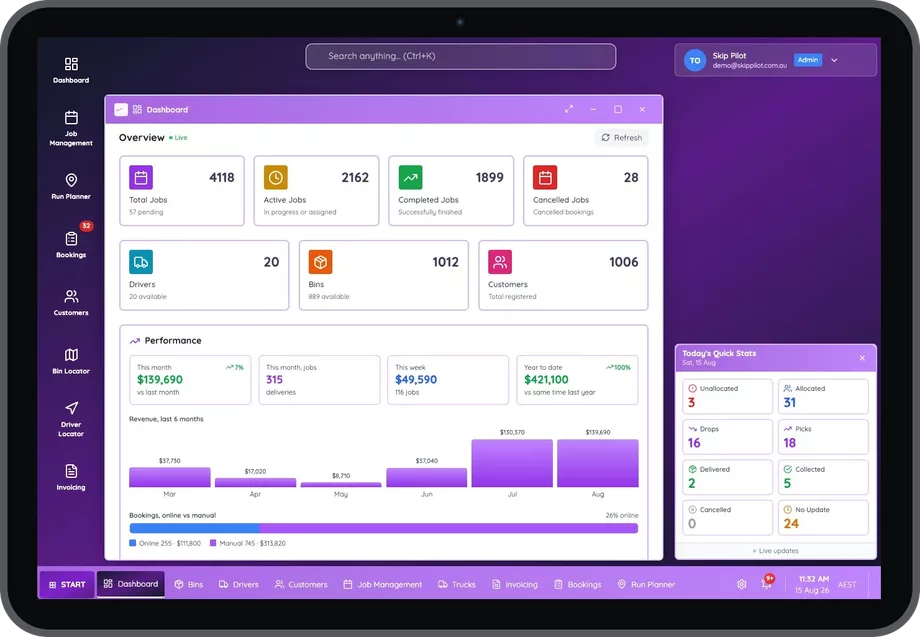
The Skip Pilot dashboard on a tablet showing job totals, driver and bin counts, a six month revenue chart and today's live delivery and collection stats

The question that costs the most money

A skip bin only earns while it is on hire. The rest of the time it is capital sitting in a yard, or worse, capital sitting on a site nobody has invoiced for since the job finished.

Bin tracking is the part of the system that knows, at any moment, where every bin is, whose site it is on, how many days it has been there, and whether it should have been collected by now. It is the difference between buying another 6m and discovering you already have three you had lost track of.

It is also the part most people mean when they go looking for bin management software in the first place. Everything else a hire platform does, the bookings, the runs, the invoices, is work you could do badly on paper. This is the one you cannot.

Operators call it different things. Bin tracking software, a bin tracker, a bin finder, or skip bin tracking software if the fleet is skips. They all describe the same job: knowing where your assets are without ringing somebody. In Skip Pilot the screen that does it is called the bin locator.

What tracking means here. Skip Pilot tracks bins by job and site, where a bin was delivered, when, and whether it has come back. It also tracks your trucks live by GPS. It does not require a GPS tag welded to every bin, which is the version of bin tracking that costs more than the bins.
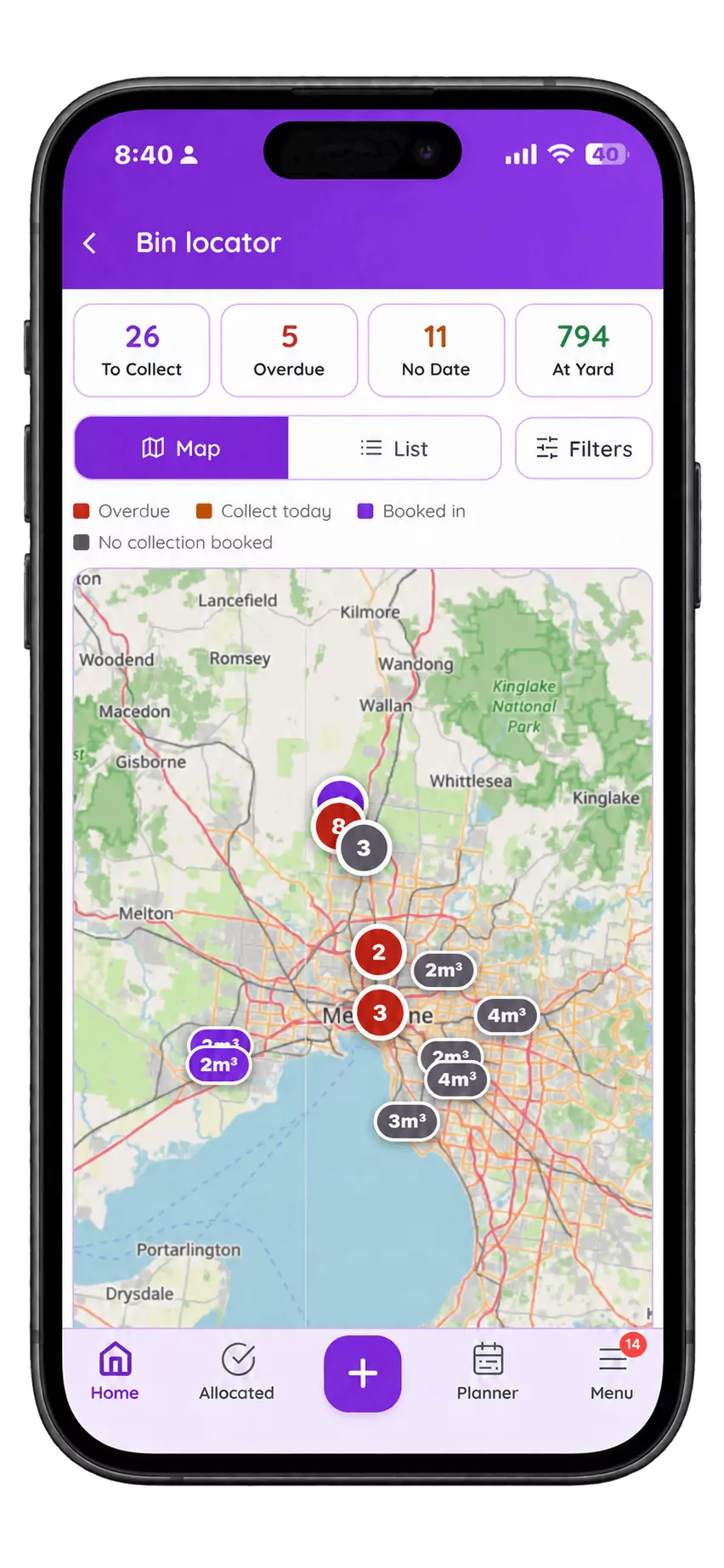
The Skip Pilot bin locator on a phone, showing a map of Melbourne with every bin on the ground as a coloured pin, and counters reading 26 to collect, 5 overdue, 11 with no date and 794 at the yard.
The bin locator on a phone. Red is overdue, orange is collect today, purple is booked in, grey has no collection booked at all.

The problem it removes

Every operator has a version of this week:

How it works

Every bin has a location, a customer, a site and a clock

When a driver marks a delivery complete, the bin's location becomes that site and the clock starts. When it is collected, the clock stops and the bin returns to the yard as available stock. Nobody types any of this, it is a by-product of the driver doing the job.

The bin locator: every bin on a map

The bin locator is a map of your whole fleet on the ground. Every bin you have dropped shows as a pin. Click one and you get the site, the customer, the bin size, how many days it has been sitting there and whether collection is overdue.

That matters because a list tells you a bin is at 14 Wattle Street and a map tells you it is four streets from the one you are collecting on Thursday. Planning a collection run stops being a memory exercise. And when somebody rings about their bin, the answer is on screen before they finish the sentence, so nobody sends a truck out to go looking.

Blocked in? Find the next one from the truck

You turn up to collect and you cannot. A car is parked across the driveway, a delivery van has the lane, the gate is padlocked. Every operator loses trips to this, and the usual answer is to ring the office, wait while somebody works out what else is nearby, and quite often drive back empty.

Instead the driver opens the bin locator on the phone, taps Filters, and chooses bins near me. Everything within reach comes up on the map with the overdue ones already flagged. Pick one, collect it, keep going.

Nobody had to be rung. No fuel went on a wasted trip. And the bin that could not be collected is still sitting on the overdue list for tomorrow rather than quietly forgotten, which is the part that costs you twice: a truck that earned nothing this morning and a bin that is still earning nothing this afternoon.

Overdue collections surface themselves

A bin past its agreed hire period is flagged rather than waiting to be noticed. That is both a collection to schedule and, quite often, an invoice line you were about to forget.

Stock that stays honest

Because availability is derived from jobs rather than counted by hand, tomorrow's plan is checked against bins that actually exist and are actually free. Optional inventory validation stops you taking a booking for a size you have not got.

Live GPS on the trucks

Alongside the bins, Skip Pilot tracks the vehicles. If your trucks already carry GPS units it reads them rather than asking you to buy new hardware. We connect to whatsGPS and IOP GPS, pulling each truck's live position, its speed, and the kilometres it covered that day.

You do not configure any of this. Tell us on the setup call which units you run and hand over the account details, and we wire it up for you. Nobody gets handed a settings screen and a manual.

That does two jobs at once. An ETA becomes a fact rather than a guess, so a customer asking how far away the truck is gets an answer instead of a callback. And the daily kilometre figure sits against the truck, which is the number you need when you are working out what a run actually costs you or whether a second truck is earning its keep.
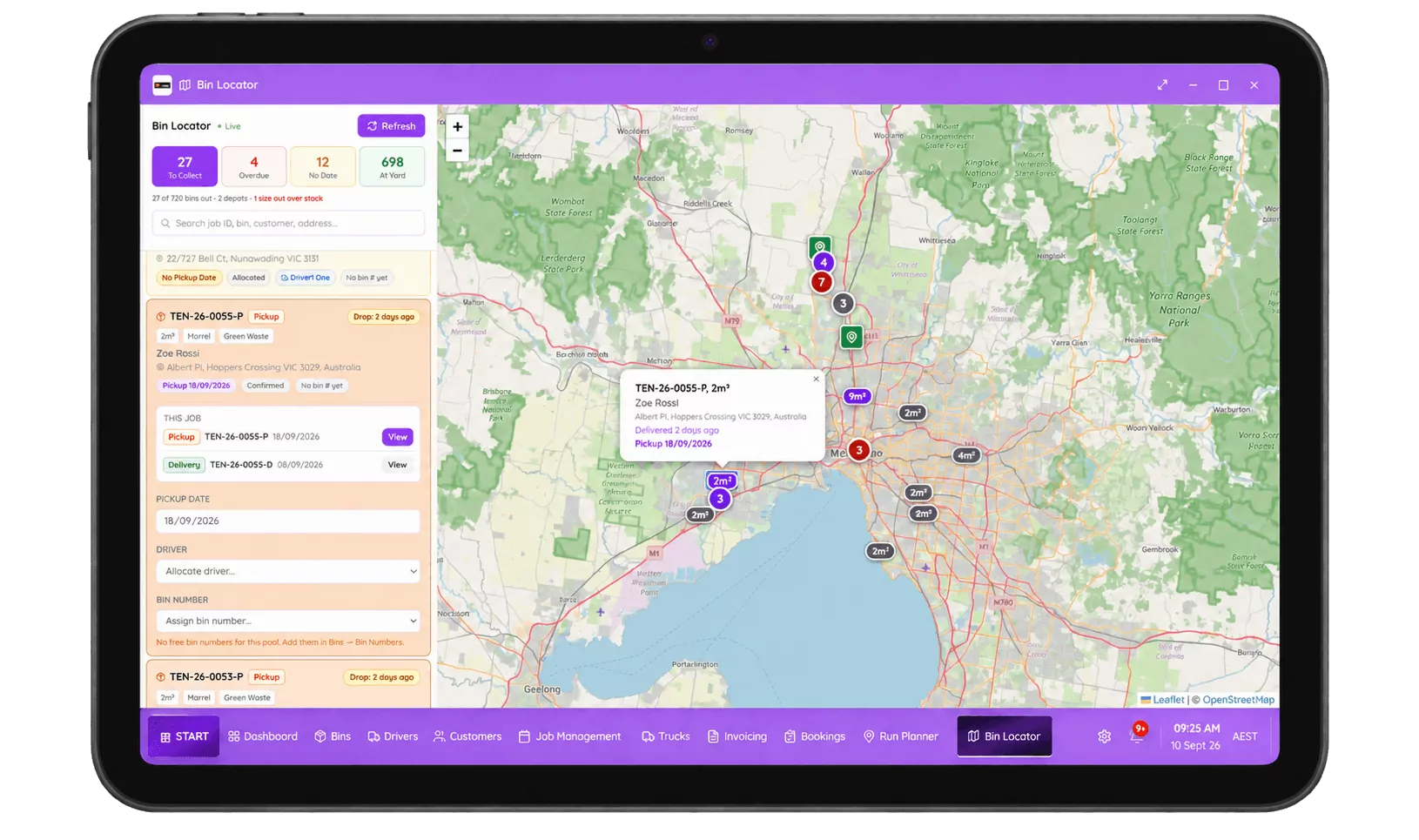
The Skip Pilot bin locator on a tablet: a map of Melbourne with every bin as a pin, a job list down the left showing pickup dates, drivers and bin sizes, and counters reading 27 to collect, 4 overdue, 12 with no date and 698 at the yard.
The same view on a tablet. The list and the map are the same data, so you can work from whichever suits the job in front of you.

What changes in your week

  • "Where is my bin?" stops being a research task. It is a lookup, and anyone in the office can do it.
  • Long-stay bins get invoiced. Extra hire days you were writing off show up as revenue you already earned.
  • You stop buying bins you own. The fleet you have becomes visible, so the fleet you buy is the fleet you need.
  • Collections stop being forgotten. Overdue is a flag, not a memory.
  • A blocked pickup stops being a wasted trip. The driver filters the bin locator to what is near them, collects an overdue one instead, and the truck goes back to the yard loaded.
  • Utilisation becomes a number. You can see which sizes earn and which ones sit, which is the beginning of buying well.
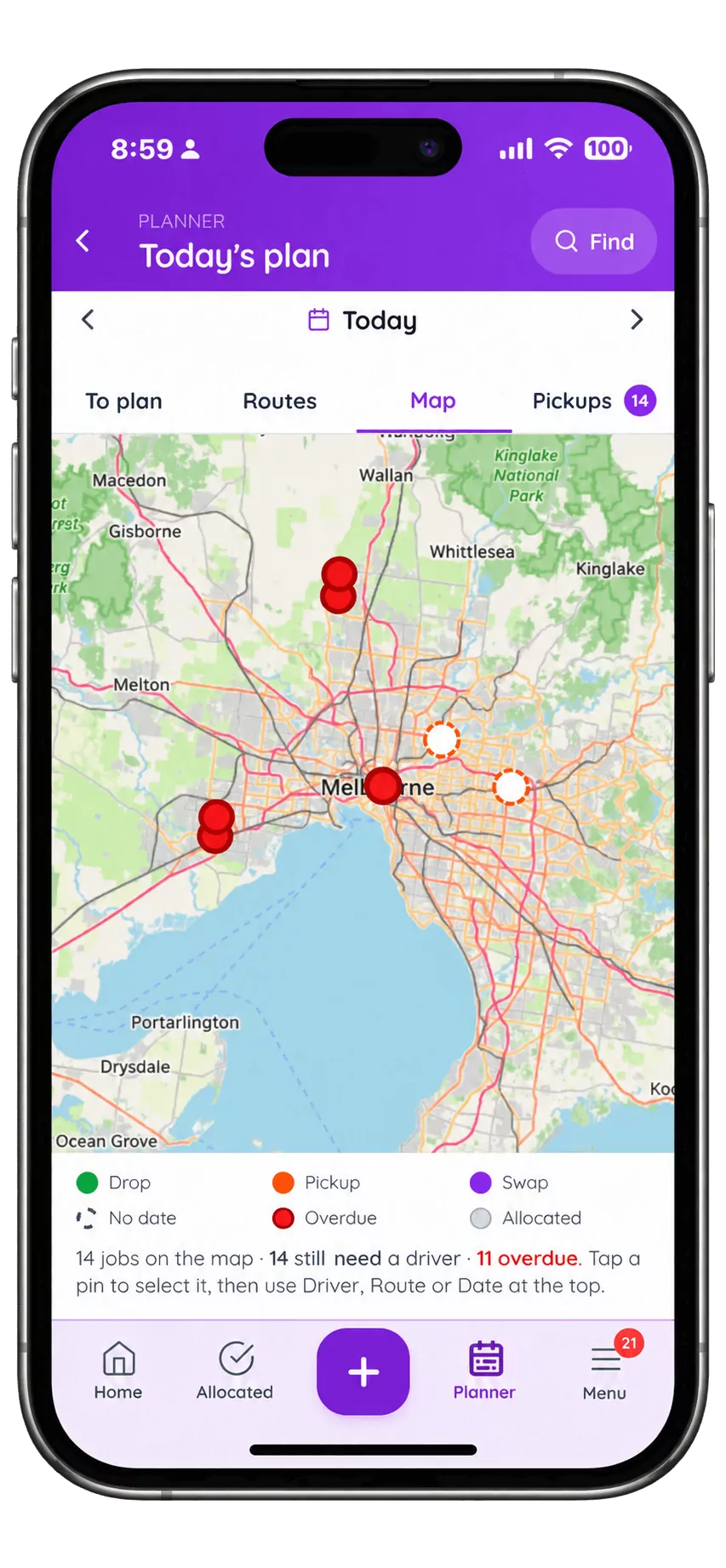
Today's plan in the Skip Pilot planner as a map, every job a coloured pin, with a count of how many still need a driver and how many are overdue.
Overdue stops being something somebody has to remember. It is a colour on a map.

Questions, answered

Do I need a GPS tracker on every bin?

No. Skip Pilot tracks bins by job and site, updated as drivers complete work, which tells you where each bin is and how long it has been there without any hardware. GPS hardware on the trucks is supported and gives you live vehicle positions. Tagging individual bins is an option some operators want later; it is not a requirement to get the answer.

What counts as a bin being 'on site'?

From the moment a driver marks the delivery complete until the moment a collection is marked complete. Because both come from the driver's own actions in the app rather than from someone updating a sheet afterwards, the timeline stays accurate without anyone maintaining it.

Can I see which bins have been out the longest?

Yes. The bin locator sorts by time on site, so the bins that have been out longest, usually the ones costing you the most in unbilled hire, sit at the top.

Does it stop me double-booking a bin?

Inventory validation on booking is a feature we can switch on for your account. With it enabled, a booking for a size you have not got free is flagged at the point it is taken, rather than discovered by a driver the next morning.

A car is parked in front of the bin. What does the driver do?

Opens the bin locator on the phone, taps Filters, and chooses bins near me. Everything within reach appears on the map with the overdue collections flagged, so the driver picks one of those instead and the truck comes back loaded rather than empty. No call to the office, no wasted fuel, and the blocked bin stays on the overdue list for tomorrow instead of being forgotten.

Is a bin tracker the same as bin tracking software?

Usually not. A bin tracker normally means a physical GPS tag you bolt to a bin, and it answers one question: roughly where that object is. Bin tracking software answers the questions that actually cost you money, which are whose site it is on, how long it has been there, whether collection is overdue and what is free in the yard. Skip Pilot is the software, and it gets those answers from the jobs your drivers already complete rather than from hardware.

Does bin tracking work for toilets, fencing and trailers?

Yes. Anything you hire out and get back is tracked the same way, delivered to a site, a clock running, collected and returned to stock. Portable toilets add servicing intervals on top of that, which is the same idea with a repeating visit.

Which GPS units do you work with?

whatsGPS and IOP GPS, reading live position, speed and daily kilometres straight from the units already fitted to your trucks. We connect it to your account during setup rather than leaving it to you. This is vehicle tracking, so it tells you where the truck is; the bin locator is what tells you where the bins are. You buy no new hardware for either, and if you run a tracker we have not connected before, tell us on the call and we will sort it out for you.

What do I get from the GPS data beyond a dot on a map?

Daily kilometres per truck, which is the figure that turns a run into a cost. Most operators know their fuel bill and their job count but cannot put the two together per vehicle. With kilometres recorded against each truck each day you can see which runs are expensive, whether a second truck is paying for itself, and where a route is quietly costing you an hour.

Register for free. 7-day trial.

Fifteen minutes on the phone with an Australian team, and we set up your 7-day free trial with you on the call. Your bins, your sizes, your service areas already configured, not a blank screen.

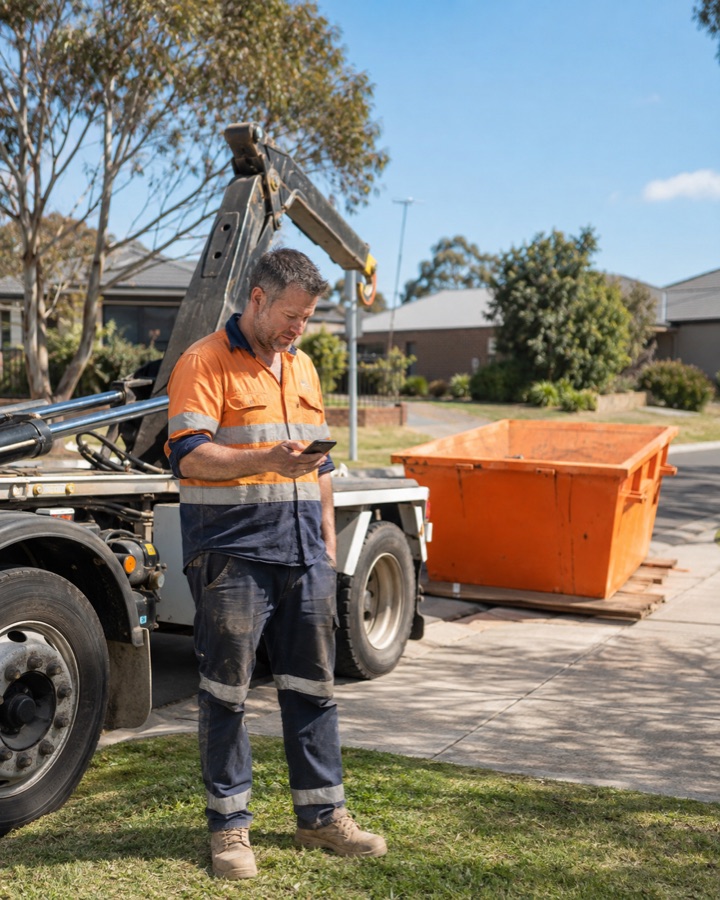
A Skip Pilot operator in hi-vis checking his phone beside a hook-lift truck, with the Skip Pilot admin app shown alongside him: the day's counters for unallocated, allocated, done and pending jobs, and a New job sheet offering delivery, changeover or quote.

Takes about 30 seconds. No credit card, no obligation.

Would rather just ring? 0485 095 555