Category guide

Bin management software, explained properly

What the category means, the six jobs a system has to do before it earns the name, and the questions that separate a real platform from a booking form with ambitions.
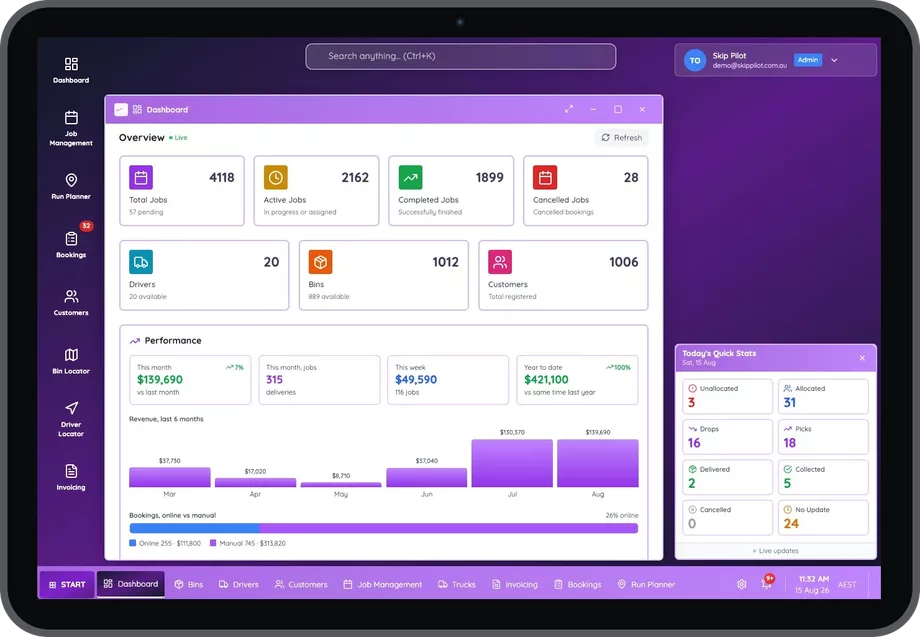
The Skip Pilot dashboard on a tablet showing job totals, driver and bin counts, a six month revenue chart and today's live delivery and collection stats

What the term actually means

Bin management software is the system that holds a hire business together: it takes the booking, tells the driver what to deliver and collect, keeps track of which bins are on which sites, and turns finished work into invoices. It replaces the whiteboard, the spreadsheet and a surprising number of phone calls.

The term gets used loosely, and so do its variants. You will see the same thing sold as bin manager software, as a bin management system, or simply as bin software. Council waste-collection platforms are called bin management software. So are asset-tagging products that only track where a bin is. So is a booking widget with a calendar attached. For a skip bin, portable toilet or equipment hire operator, none of those is the whole job.
The test. Real bin management software can answer three questions without anybody picking up a phone: what is happening today, where is every bin right now, and what has been done but not yet invoiced. If a system cannot answer all three, it is a tool, not a platform.
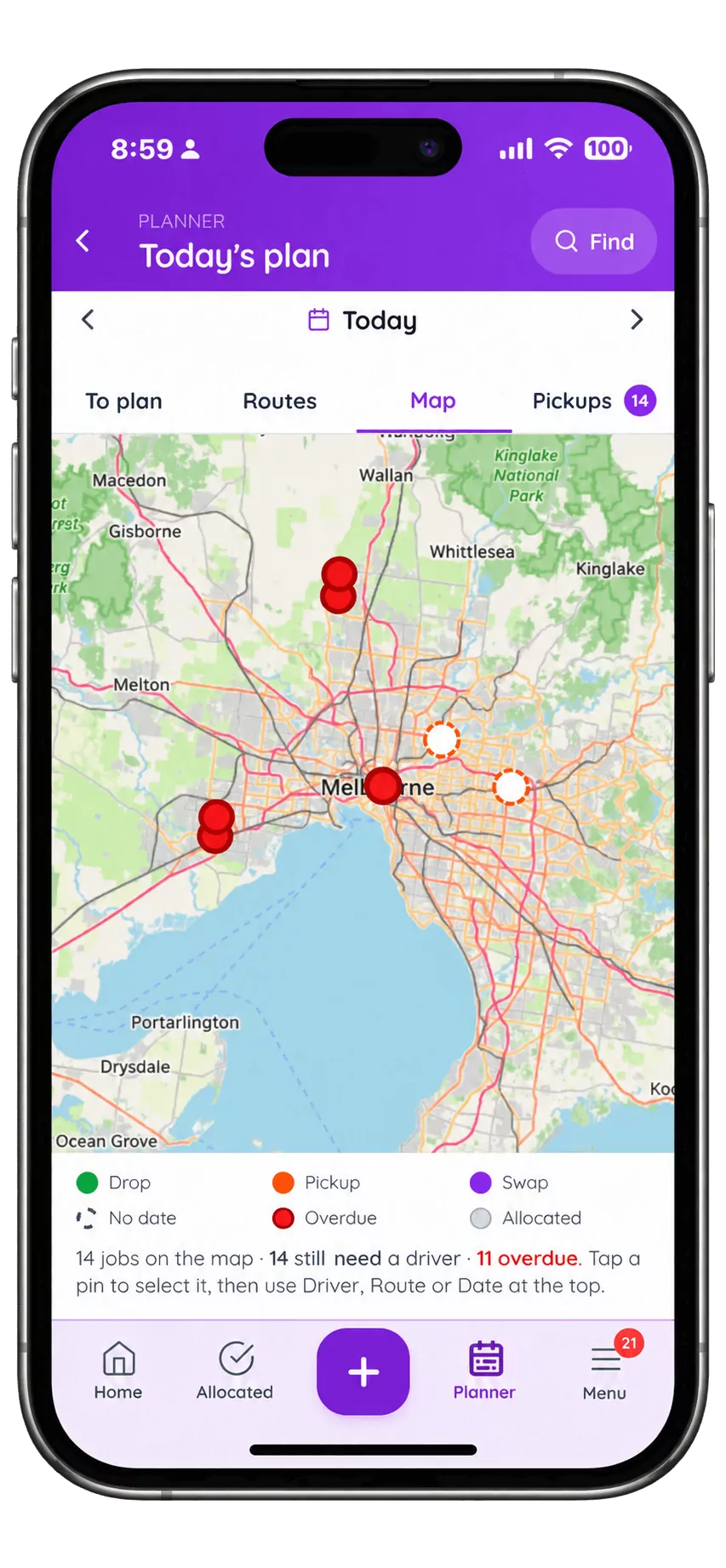
Today's plan in the Skip Pilot planner, shown as a map of Melbourne with every job as a coloured pin: drops, pickups, swaps and overdue jobs, with a line reading 14 jobs on the map, 14 still need a driver, 11 overdue.
Today, on one screen. Fourteen jobs on the map, how many still need a driver, and how many are already overdue.

The six jobs it has to do

  1. Take the work. Bookings from the phone, the office and your own website, landing in one list rather than three.
  2. Plan the day. Jobs onto trucks and drivers, in a sequence someone can actually complete, with clashes caught before the truck leaves.
  3. Put it in the driver's hand. The run on a phone, with directions, site notes, photos and one-tap completion, and it must work where there is no signal.
  4. Know where the assets are. Every bin's location, the site it is on, and how long it has been there. This is the one most systems do worst and it is the one that costs the most.
  5. Bill what happened. Invoices built from the completed job, including the extra days and the extra costs, then handed to your accounting software.
  6. Tell you the truth about the business. Which jobs made money, which customers are worth keeping, and what tomorrow needs.

A system that does five of these and leaves one to a spreadsheet has not saved you the spreadsheet.

How to judge one on a demo

Ask for a changeover

Watch a changeover get created, dispatched and invoiced. Two linked legs, one bin off and one bin on. If the system treats them as unrelated jobs, one will eventually vanish and you will hear about it from a customer.

Ask where a specific bin is

"Where is bin 47 and how long has it been there?" should be one screen. If the answer involves opening a second system or ringing a driver, the asset side is not real.

Ask them to do it on a phone

Not the driver app. The office. Create a job, price it, put it on a truck, from a phone. Most platforms in this category cannot, and if you spend half your week away from a desk that is the difference that will actually change your day.

Ask what tomorrow needs

How many bins, which sizes, which trucks. A system that holds bookings but cannot answer this has left the hardest planning job with you.

Ask about leaving

What the export looks like, and in what format. Ask before you sign. The answer tells you a lot about the company as well as the product.
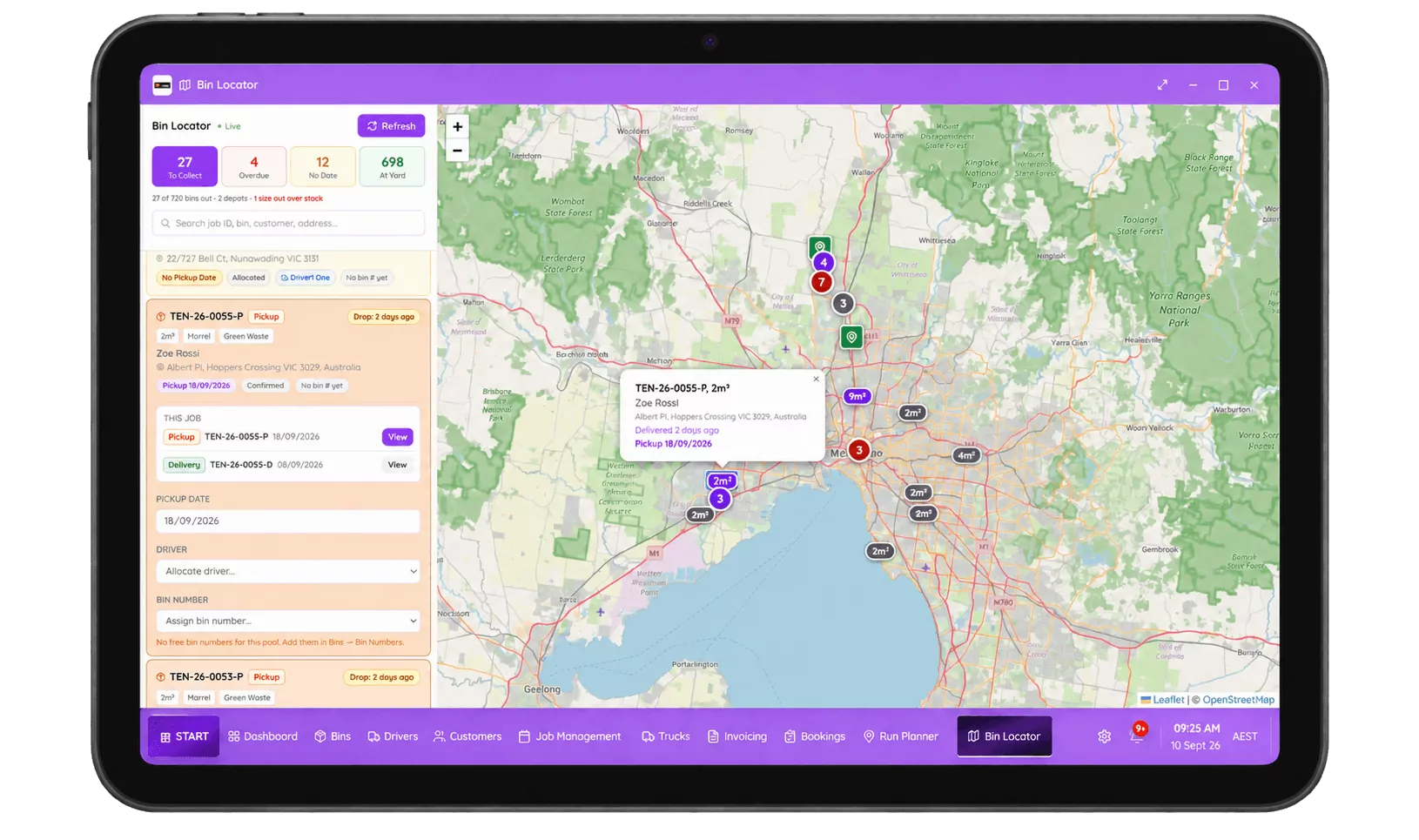
The Skip Pilot bin locator on a tablet: a map with every bin as a pin, a job list down the left, and counters for bins to collect, overdue, with no date and at the yard.
Ask where a specific bin is and how long it has been there. It should be one screen, not a phone call.

Where Skip Pilot sits in this

Skip Pilot is bin management software built specifically for Australian and New Zealand hire operators, skip bins first, and portable toilets, temporary fencing and trailer hire on the same platform. It does all six jobs above, and it puts the office on a phone as well as the driver.

If you are still comparing, the comparison page puts it side by side with the other two products Australian operators shortlist, including the parts where they win.
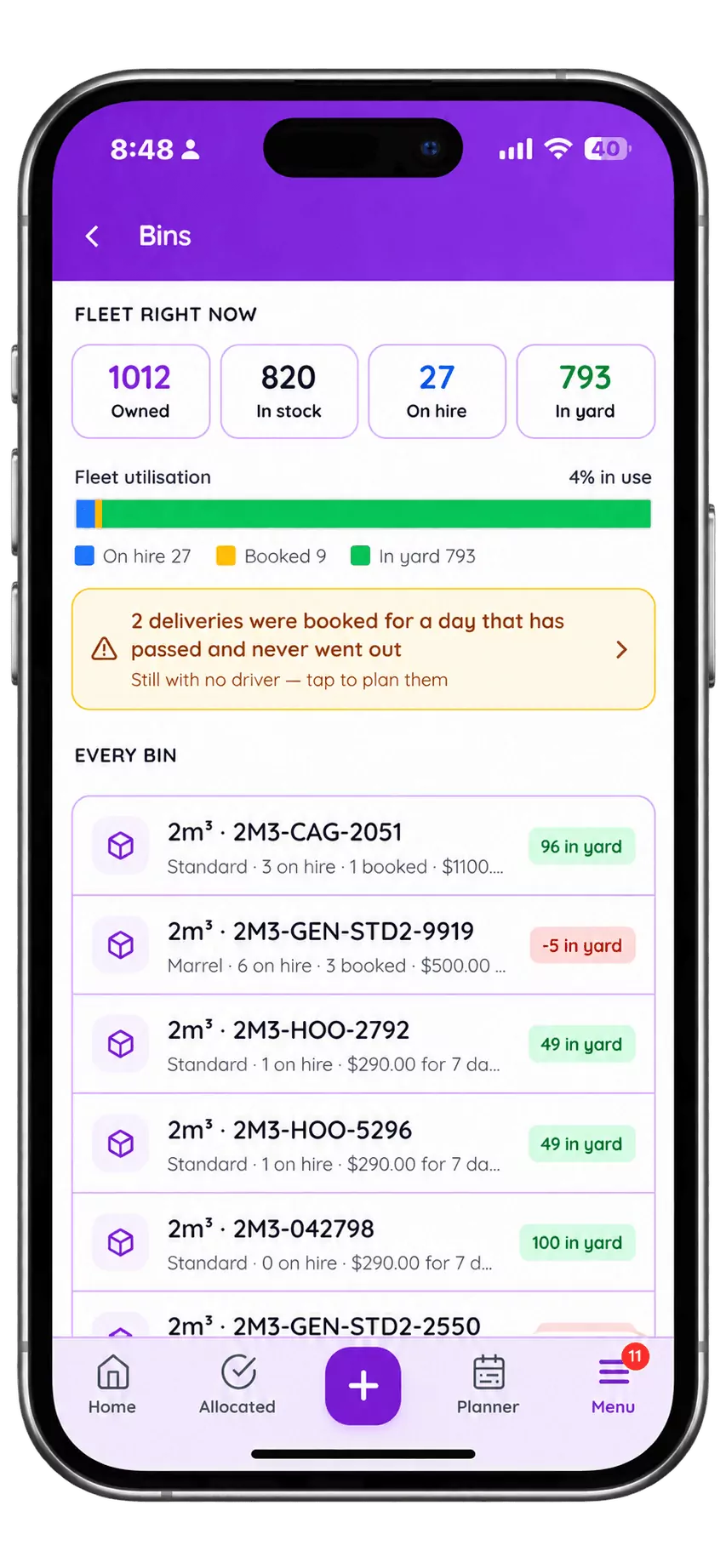
The Skip Pilot bin register on a phone: fleet counters reading 1012 owned, 820 in stock, 27 on hire and 793 in yard, a fleet utilisation bar, a warning that two deliveries were booked for a day that has passed and never went out, and a list of every bin size with its stock level.
Every bin you own, by size: what is in stock, what is on hire, and what was booked for a day that has already passed and never went out.

Questions, answered

Is bin management software the same as waste management software?

They overlap but they are not the same buyer. Waste management software often means enterprise or council-scale platforms for collection rounds, weighbridges and compliance reporting. Bin management software, in the sense an operator means it, is for a hire business: bins that go out to a site, sit there earning, and come back.

Do I need it if I only run one truck?

The honest answer is that you need it less, but you feel the benefit sooner than you would expect, usually the first time a changeover goes missing or a bin sits unbilled for a month. Plenty of single-truck operators run it precisely because there is nobody else to catch the mistakes.

How much does bin management software cost in Australia?

None of the Australian vendors publishes a price list, because pricing generally scales with trucks, drivers and bins. Expect a monthly subscription. When comparing quotes, check the same three things each time: whether SMS is included, whether card processing is billed separately, and what an extra user costs.

Can it handle portable toilets and fencing too?

In Skip Pilot, yes. The same platform runs skip bins, portable toilets, temporary fencing and trailer hire on one login. Not every product in this category does; several are skip bins only, which is worth checking if you hire out anything else.

What is the difference between bin management software and a booking form?

A booking form takes the order. Bin management software takes the order, plans the day, dispatches the driver, tracks the asset, raises the invoice and tells you whether the job made money. A booking form on its own moves the data entry rather than removing it.

Register for free. 7-day trial.

Fifteen minutes on the phone with an Australian team, and we set up your 7-day free trial with you on the call. Your bins, your sizes, your service areas already configured, not a blank screen.
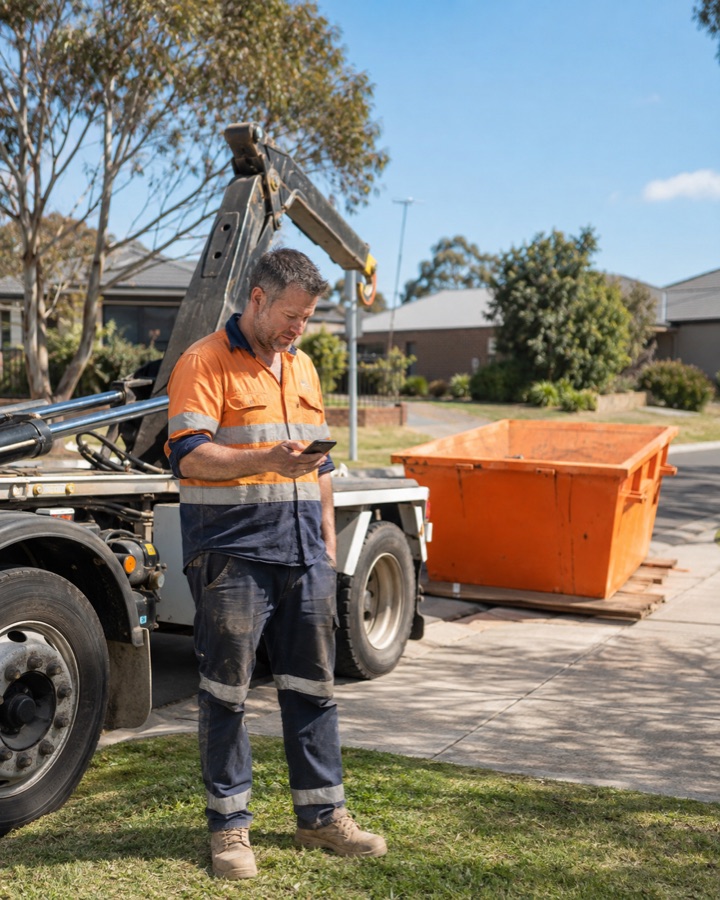
A Skip Pilot operator in hi-vis checking his phone beside a hook-lift truck, with the Skip Pilot admin app shown alongside him: the day's counters for unallocated, allocated, done and pending jobs, and a New job sheet offering delivery, changeover or quote.

Takes about 30 seconds. No credit card, no obligation.

Would rather just ring? 0485 095 555